
Keep everyone happily connected
Fiber Internet Service
Choose from these internet speeds in Wellman
Wellman Cooperative Telephone Association offers internet speed options for every home or business — all powered by our state-of-the-art fiber network to deliver the fast and reliable connection you deserve. Plus, our internet is backed by friendly, local service. If you’re not sure what speed you need, take the Bandwidth Estimator quiz or contact our office for assistance.
100 Mbps
Price with Phone is $69.95/mo.
Best for 1 to 5 devices online at once for an overall online experience usage such as downloading and streaming full length movies.
Unlimited usage…no data caps!
Calculate the Speed You Need
Time the introductory rate applies
Monthly price after the introductory rate
Length of contract
Link to Terms of Contract
| ONT MAINTENANCE FEE | $15.00 |
| MANAGED Wi-Fi SERVICE | $7.95 |
| MANAGED Wi-Fi EXTENDER | $3.95 |
| ACTIVATION FEE – NEW CUSTOMER | $50.00 |
250 Mbps
RECOMMENDED
Price with Phone is $99.95/mo.
Best for 6-15 devices online at once. Perfect for streaming HD videos, fast gaming, downloading large files, and rock-solid connections during video conferencing.
Unlimited usage…no data caps!
Calculate the Speed You Need
Time the introductory rate applies
Monthly price after the introductory rate
Length of contract
Link to Terms of Contract
| ONT MAINTENANCE FEE | $15.00 |
| MANAGED Wi-Fi SERVICE | $7.95 |
| MANAGED Wi-Fi EXTENDER | $3.95 |
| ACTIVATION FEE – NEW CUSTOMER | $50.00 |
500 Mbps
Price with Phone is $139.95/mo.
16+ devices at a time.
Ideal for serious gaming, working from home, ultra-fast streaming, and makes online activities effortless.
Unlimited usage…no data caps!
Calculate the Speed You Need
Time the introductory rate applies
Monthly price after the introductory rate
Length of contract
Link to Terms of Contract
| ONT MAINTENANCE FEE | $15.00 |
| MANAGED Wi-Fi SERVICE | $7.95 |
| MANAGED Wi-Fi EXTENDER | $3.95 |
| ACTIVATION FEE – NEW CUSTOMER | $50.00 |
1 Gbps
Price with Phone is $179.95/mo.
25+ devices at a time.
If you have a houseful of connected devices streaming or doing bandwidth intensive work, this speed is right for you. It’s also ideal for businesses supporting a network of employee devices.
Unlimited usage…no data caps!
Calculate the Speed You Need
Time the introductory rate applies
Monthly price after the introductory rate
Length of contract
Link to Terms of Contract
| MANAGED Wi-Fi SERVICE | $7.95 |
| MANAGED Wi-Fi EXTENDER | $3.95 |
| ONT MAINTENANCE FEE | $15.00 |
| ACTIVATION FEE – NEW CUSTOMER | $50.00 |
*Speeds may not be available in all areas. Listed speeds are the maximum capability for that plan but are not guaranteed.
Add-Ons
-
Managed Wi-Fi - $7.95/month
Provided through a Smart Gateway, which is a device that replaces your existing router.
-
Managed Wi-Fi Extenders - $3.95/month
Extenders are available to be used within larger homes. Most homes will enjoy an excellent wireless connection without an extender.
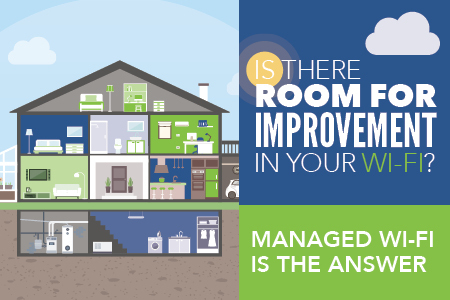
Managed WiFi
This service is ideal if you love streaming videos, have many connected devices, or work from home.
Get the most out of your connection
The service optimizes your WiFi for the fastest possible speed.
WiFi dead spots will be a thing of the past!
Receive a strong, consistent signal throughout your home.
WiFi trouble? We're on it!
Managed WiFi allows us to remotely troubleshoot your network issues much faster.
Voice
Landline telephone service is still one of the most dependable forms of communication.
Unlimited Local Calling to these communities: Hartwick, Hills, Kalona, Kinross, Ladora, Millersburg, Sharon Center, South English, Webster, West Branch, and West Liberty
Telephone Service
-
Residential
30.00/month* -
Business
Call for pricing. -
Long Distance
Click here to learn more. - Monthly charge includes a Federal Access Charge ($7.00) and E911 ($1.00)
Helpful Information

Telephone Service
-
Residential
30.00/month* -
Business
Call for pricing. -
Long Distance
Click here to learn more. - Monthly charge includes a Federal Access Charge ($7.00) and E911 ($1.00)
Calling Features
This service automatically rejects all calls for which the caller has withheld the calling number. This may be because the caller’s line is configured never to send the calling number, or because the caller has dialed an access code to block the number before making the call. ACR does not reject calls for which the calling number is unavailable because it has not been provided by the network (for example on overseas calls).
Access Code:
From home telephone:
• Enable: Dial *77
• Disable: Dial *87
This service allows the subscriber to return the most recent incoming call, or to hear the last incoming caller’s number and then optionally return the call.
From home telephone:
• To hear the last calling number information: Dial *69; then to return the call: Dial 1
• Disable: Dial *89
This service forwards all a subscriber’s incoming calls on to an alternative number, without ringing the subscriber phone first.
From home telephone:
• Enable: Dial *72 followed by the telephone number to forward
• To Disable: Dial *73
This service allows a call forwarding subscriber to access and change their call forwarding configuration from any phone. Subscribers are provided with a directory number to call for Remote Access to Call Forwarding, which can be called from any phone. Their call is routed to the MetaSphere CFS. They are then able to access IVR menus to configure Call Forwarding in the normal way.
To use the RACF service:
- Call the RACF directory number 319-646-7200
- Enter your own ten digit directory number and PIN when prompted.
- Enter the Call Forwarding access code you require (for example, to access Unconditional Call Forwarding, enter *72).
- Configure the call service as for normal Call Forwarding configuration.
This service forwards incoming calls to an alternative number only when the subscriber’s line is busy.
From home telephone:
- Enable: Dial *90 followed by the telephone number to forward to • Disable: Dial *91
This service forwards calls from the subscriber’s line to an alternative number only if they are not answered on the subscriber’s line.
From home telephone:
- Enable: Dial *92 followed by the telephone number to forward to • Disable: Dial *93
This service displays the number and name of the incoming caller (if available) on the subscriber’s telephone, requires subscriber to have caller id compatible equipment.
This service determines whether the calling subscriber’s number (and other related information such as subaddress and network ID) is signaled on outgoing calls.
From home telephone:
Note that the subscriber can use these access codes only if the Calling Number Delivery Blocking (CNDB) service is enabled.
- To allow delivery of the calling number if it is blocked by default, press *82
- It determines whether the subscriber can use access codes to control Caller ID Presentation.
- It also allows you to withhold the subscriber’s number completely, regardless of other settings
From home telephone:
- To restrict name and number per call dial *67 then the number to be dialed
The number, if any, to be sent out for caller ID in place of the subscriber’s directory number (for example, if the directory number corresponds to and outgoing-only line and should be replaced by the number of another line that accepts incoming calls).
Service must be configured at Wellman Cooperative Telephone Association
This service notifies a subscriber that a second call is on the line and allows the subscriber to switch between the calls. The called party is notified by a tone when a call is waiting. The calling party receives an announcement telling them the system has alerted the called party.
From home telephone:
- Disable: Dial *70
- When you are on the phone, you will hear a tone to let you know someone else is calling.
- Flash-hook to switch back and forth between calls
This service notifies a subscriber that a second call is on the line and allows the subscriber to switch between the calls. The called party is notified by a tone when a call is waiting. The calling party receives an announcement telling them the system has alerted the called party.
From home telephone:
- Disable: Dial *70
- When you are on the phone, you will hear a tone to let you know someone else is calling.
- Flash-hook to switch back and forth between calls
This service allows a subscriber to correlate their outgoing calls with a numerical account code, which is reported in billing information for the call.
This service must be configured at Wellman Cooperative Telephone Association.
After dialing a number that requires an account code, the subscriber hears either a continuous or a stutter dial tone, and must enter the account code before the call can be set up.
- If a code is not entered or if a validated code is incorrect, an announcement is played informing the subscriber that he or she has not entered a valid code.
This service allows subscribers to select a list of numbers from which incoming calls are automatically rejected. A rejection announcement is played to the calling party. (This option can reject calls from other providers).
From home telephone:
- Configure through the Screen List Editing Menu: Dial *60
See Screen List Editing for more information
- From home telephone:
- To use speed dialing, dial the short code then press #.
- To add a short code mapping:
- Dial the access code, *75
- For analog a confirm tone is played; continue with entering the short code without waiting for a prompt.
- Enter the short code, followed immediately by the number to which the short code maps.
- An announcement is played confirming the short code mapping.
Telemarketing call screening on a landline is a feature that filters unwanted calls, especially spam and robocalls, by using Caller ID to identify callers and then either blocking them, sending them to voicemail, or challenging them to announce themselves before connecting, giving you control over who reaches you. It stops telemarketers by intercepting calls and prompting them to press a key, deterring automated callers.
Teen Service allows a subscriber to have up to three additional directory numbers while retaining only one physical line. Calls to the additional numbers go through to the existing phone line, but have a distinctive ring tone for each number. Outgoing calls are made only from the primary directory number. However, some call services can be configured specifically for incoming calls to the new Teen Service directory numbers.
Service must be configured at Wellman Cooperative Telephone Association.
This service allows a subscriber to call another party during an existing call and add this party to the call, creating a three-way conversation.
To add a third party to an active call, flash-hook and then dial the third party’s number. If the third party answers, flash-hook again to add both of you to the original call, connecting all three parties. If the third party does not answer or their line is busy, flash-hook twice to rejoin the original call. If you hang up you will receive a ringback reminding you that the original call is still on hold, and can rejoin the call by picking up the phone. This service is known as 3-Way Calling Ringback.
This service allows a subscriber to call another party during an existing call and add this party to the call, creating a three-way conversation. With this feature the customer can hang up and the other two parties will stay connected. In turn, this allows customers to transfer calls.
To add a third party to an active call, flash-hook and then dial the third party’s number. If the third party answers, flash-hook again to add both of you to the original call, connecting all three parties. With this feature the customer can hang up and the other two parties will stay connected. In turn, this allows customers to transfer calls.
*All prices are per month and regulated charges may change without notice. Dial tone service includes unlimited local calling to 14 local communities and enhanced 911 service..
Get Help With Streaming
Are you planning to “cut the cord” from cable or satellite TV and switch to streaming over your internet connection? Wellman Cooperative Telephone Association wants to make things easier for you! Check out our StreamNow guide for help making your initial choices about streaming services and equipment. If you need more information, call us at 319-626-6075.
- How to Get Started
- Streaming Tutorials/FAQ
- Live TV Channel Guide
- Streaming Services Analysis
Get Help With Streaming
Are you planning to “cut the cord” from cable or satellite TV and switch to streaming over your internet connection? Wellman Cooperative Telephone Association wants to make things easier for you! Check out our StreamNow guide for help making your initial choices about streaming services and equipment. If you need more information, call us at 319-626-6075.
- How to Get Started
- Streaming Tutorials/FAQ
- Live TV Channel Guide
- Streaming Services Analysis